You have no items in your cart.
10 Educational Activities Your Child Can Do on a Tablet Instead of Playing Games
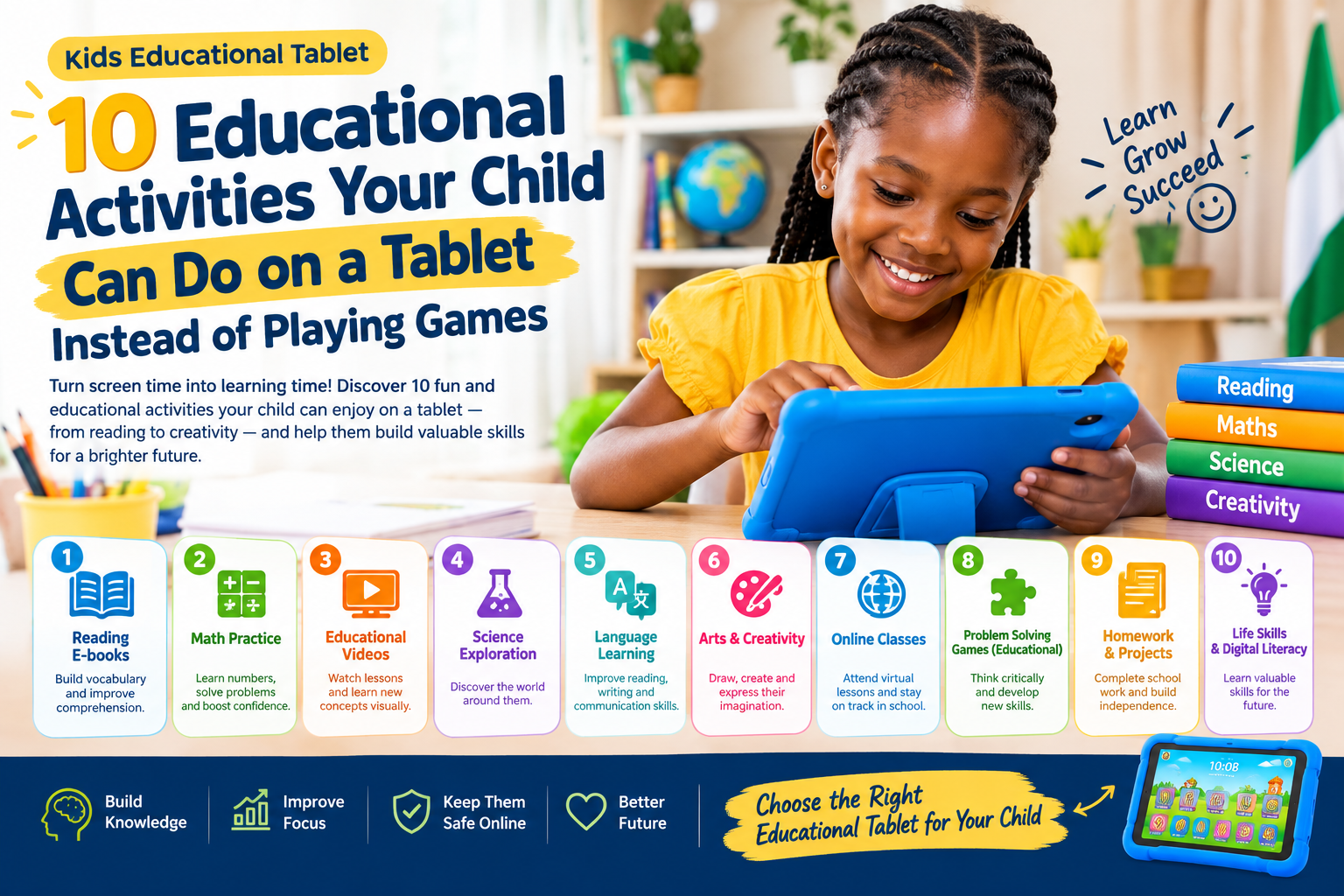
10 Educational Activities Your Child Can Do on a Tablet Instead of Playing Games: Tablets have become a common part of modern childhood. Children can use them to watch videos, play games, read books, communicate and explore the internet. But a tablet does not have to be used only for entertainment.
With the right apps, websites, digital resources and parental guidance, a tablet can become a useful learning tool for children.
For parents in Nigeria, a tablet can support learning at home, homework, reading practice, mathematics, creativity and digital skills. The key is to help children use technology intentionally instead of spending all their tablet time on entertainment.
In this article, we look at 10 educational activities your child can do on a tablet instead of playing games, plus practical tips for making tablet time more productive.
1. Read Digital Books and Storybooks
Reading is one of the simplest and most useful activities a child can do on a tablet.
Children can use tablets to read:
- Digital storybooks
- Children’s novels
- Picture books
- Phonics books
- E-books
- School reading materials
- Interactive children’s books
Digital books can be particularly useful for children who enjoy colourful illustrations, animations and interactive features.
Parents can make reading more engaging by allowing the child to choose an age-appropriate book and then asking questions about the story.
For example, after reading a story, ask:
“Who was the main character?”
“What happened at the end?”
“What would you have done differently?”
This turns tablet reading into an opportunity to practise comprehension, vocabulary and critical thinking.
Tip for parents
Do not focus only on how long your child spends reading. Pay attention to whether the child understands what they are reading.
2. Practise Mathematics
A tablet can make mathematics practice more interactive.
Children can practise:
- Addition
- Subtraction
- Multiplication
- Division
- Fractions
- Shapes
- Measurements
- Counting
- Basic problem-solving
Educational mathematics applications often use visual examples, quizzes and interactive exercises to make practice more engaging.
Instead of simply allowing your child to play games for an hour, consider giving them a short mathematics activity before entertainment time.
For example:
20 minutes of mathematics practice → 10-minute break → reading → recreational activity.
The appropriate routine will depend on the child’s age, schoolwork and family schedule.
Why this can help
Regular practice can give children more opportunities to reinforce concepts they have already learned at school.
The tablet should complement school instruction rather than replace teachers or classroom learning.
3. Learn Phonics, Spelling and New Words
For younger children, tablets can be used to practise sounds, letters and vocabulary.
Children can work on:
- Alphabet recognition
- Letter sounds
- Phonics
- Spelling
- Vocabulary
- Word pronunciation
- Sentence building
- Reading comprehension
For example, a child learning the letter B can practise words such as:
Ball, book, banana and bird.
Parents can then ask the child to find objects around the house beginning with the same sound.
This combines digital learning with real-world learning.
Make it interactive
Don’t simply hand your child the tablet.
Sit with them occasionally and ask them to pronounce new words or explain what they have learned.
4. Watch Educational Videos
Children naturally enjoy watching videos, so parents can redirect some of that interest toward educational content.
Depending on the child’s age, educational videos can cover:
- Science
- Mathematics
- Reading
- History
- Geography
- Nature
- Animals
- Space
- Technology
- Languages
- General knowledge
The important thing is to choose age-appropriate and trustworthy content.
Parents should also remember that watching an educational video is different from actively learning. Ask your child questions afterwards.
For example:
“What did you learn?”
“Can you explain it to me?”
“Can you give me an example?”
These questions encourage children to think about what they watched.
5. Draw, Paint and Create Digital Art
A tablet can also become a digital art studio.
Children can use drawing and creativity applications to:
- Draw pictures
- Colour digital illustrations
- Create patterns
- Practise handwriting
- Design characters
- Make simple illustrations
- Experiment with shapes
- Create digital stories
Creative activities allow children to use technology actively rather than passively consuming content.
For younger children, digital drawing can also help them become familiar with touch-screen controls.
For older children, creative applications can introduce them to concepts such as design, illustration and digital creativity.
Parent activity idea
Ask your child to draw:
“My dream school.”
After they finish, ask them to explain their drawing.
This turns a simple drawing exercise into a communication and creative-thinking activity.
6. Learn Basic Coding and Computer Skills
Technology skills are increasingly important in education and work.
Older children can begin learning basic programming concepts through age-appropriate coding platforms and applications.
They can explore:
- Sequencing
- Problem-solving
- Logic
- Algorithms
- Simple programming
- Animation
- Game design
- Computational thinking
Children do not necessarily need to start with complicated programming languages.
Begin with simple activities where they learn to give instructions to a computer or create a basic animation.
Why coding can be useful
Coding activities can encourage children to break a problem into smaller steps and think logically.
The goal is not necessarily to turn every child into a programmer. Instead, coding can be another way for children to develop problem-solving and digital skills.
7. Practise Languages
A tablet can provide opportunities for children to practise languages.
Depending on the resources available, children can learn:
- English vocabulary
- Grammar
- Pronunciation
- Foreign languages
- Reading
- Listening
- Basic conversation
Parents can also use audio resources to help children hear correct pronunciation.
For Nigerian families, language learning can be especially interesting when children are encouraged to connect digital learning with languages spoken at home.
For example, parents can teach a child a new English word and then discuss its meaning or equivalent in another language the family speaks.
8. Explore Science and Nature
Children are naturally curious.
A tablet can help them explore questions such as:
Why does it rain?
How do plants grow?
Why do we have day and night?
How do animals communicate?
What is inside the human body?
Age-appropriate science videos, digital books, interactive diagrams and educational applications can make these subjects easier to explore.
Parents can turn this into a mini research project.
Example
If your child is learning about plants:
- Watch an age-appropriate educational video.
- Read a short digital article or book.
- Look at pictures of different plants.
- Plant a seed at home.
- Use the tablet to record its growth.
Now the tablet becomes part of a hands-on science project rather than the entire learning experience.
9. Practise Schoolwork and Homework
One of the most practical uses of a children’s tablet is helping with schoolwork.
Depending on the child’s school and curriculum, a tablet can be used for:
- Research
- Reading
- Writing
- Mathematics practice
- Revision
- Online classes
- Digital assignments
- Educational videos
- Reference materials
Parents should check which applications and online platforms their child’s school actually uses before purchasing a tablet specifically for schoolwork.
A good children’s tablet can become a convenient place to organise learning resources.
Create a homework routine
For example:
After school → snack/rest → homework → reading → free time.
The exact schedule should be adapted to the child’s age and family routine.
10. Create Presentations and Digital Projects
Older children can use tablets to create simple school projects and presentations.
They can make:
- Digital posters
- Presentations
- Storybooks
- Science projects
- Photo projects
- Class assignments
- Research summaries
- Simple videos
This activity combines several skills at once.
A child may need to:
- Research a topic.
- Read information.
- Decide which information is important.
- Write short explanations.
- Add images.
- Organise the information.
- Present the project.
This is very different from simply watching videos or playing games.
How Parents Can Make Tablet Time More Educational
Giving a child a tablet does not automatically make their screen time educational.
Parents can make a significant difference by setting clear expectations.
1. Choose Educational Apps Carefully
Before installing an application, check:
- The recommended age
- Educational purpose
- Privacy settings
- Advertising
- In-app purchases
- Content quality
- Reviews
- Required internet access
Not every application labelled “educational” provides the same quality of learning.
2. Set Screen-Time Rules
Create clear family rules for tablet use.
For example:
- Tablet time after homework
- No tablet during meals
- Regular breaks
- No inappropriate websites
- Parent approval before downloading apps
- No tablet during bedtime
The rules should be appropriate for your child’s age.
3. Use Parental Controls
Parental-control features can help parents manage children’s digital experiences.
Depending on the tablet and operating system, parents may be able to manage:
- Screen time
- Apps
- Downloads
- Purchases
- Content
- Websites
- Account permissions
Parents should check the exact parental-control features available on the particular device before buying.
4. Learn Together
One of the best ways to make technology educational is to occasionally participate.
Instead of saying:
“Go and use your tablet.”
Try:
“Let’s learn about space together.”
You can watch a short educational video, read an article and then ask your child questions.
This turns screen time into a shared learning experience.
Educational Tablet vs Entertainment Tablet
The same tablet can be used for both learning and entertainment.
The difference often comes down to how the device is configured and how the child uses it.
| Educational Use | Entertainment Use |
|---|---|
| Reading books | Watching random videos |
| Mathematics practice | Playing games continuously |
| Online lessons | Entertainment videos |
| Coding | Unstructured browsing |
| Digital drawing | Passive content consumption |
| Research | Social media |
| School assignments | Endless scrolling |
The goal is not necessarily to eliminate entertainment.
Children can enjoy games and videos while also using technology for learning.
The important thing is to create a healthy balance.
How to Choose an Educational Tablet for Your Child
If you are considering buying a kids educational tablet, look beyond the word “educational.”
Consider the following:
Age
Choose a device appropriate for your child’s age and needs.
Battery life
A reasonable battery capacity is useful for schoolwork, reading and educational activities.
Storage
Check whether there is enough storage for apps, books, videos and school materials.
Performance
The tablet should be capable of running the educational apps your child needs.
Screen
Consider screen size, display quality and reading comfort.
Durability
A protective case can be especially useful for younger children.
Parental controls
Check what controls are actually available on the device.
Connectivity
Consider whether your child needs Wi-Fi only or mobile/SIM connectivity.
Educational software
Check whether the apps and platforms your child needs are compatible with the tablet.
Can a Tablet Replace Traditional Learning?
No.
A tablet should generally be viewed as a learning tool, not a complete replacement for teachers, books, physical activities, hands-on experiences and interaction with parents and other children.
Children still benefit from:
- Physical exercise
- Outdoor play
- Social interaction
- Hands-on activities
- Reading physical books
- Family conversations
- Creative play
- Classroom teaching
The strongest approach is to combine digital learning with these activities.
30-Minute Educational Tablet Routine for Children
Parents looking for a simple starting point can create a short routine.
5 minutes — Reading
Read a short digital story or passage.
10 minutes — Mathematics
Complete age-appropriate maths exercises.
5 minutes — Creativity
Draw, colour or create something.
5 minutes — Educational video
Watch a short lesson or science video.
5 minutes — Discussion
Ask the child what they learned.
This is only an example. Parents should adjust the routine according to the child’s age, school requirements and individual needs.
Frequently Asked Questions About Educational Tablet Activities
What are the best educational activities for kids on a tablet?
Useful activities include reading digital books, mathematics practice, phonics, educational videos, drawing, coding, language learning, science exploration, homework and digital projects.
How can I make my child’s tablet more educational?
Install age-appropriate educational apps, provide digital books and learning resources, establish screen-time rules and regularly participate in your child’s learning.
Can children learn mathematics using a tablet?
Yes. Tablets can provide mathematics exercises covering areas such as counting, addition, subtraction, multiplication, fractions and problem-solving.
Is watching educational videos good for children?
Educational videos can be useful when they are age-appropriate and from reliable sources. Parents can improve the learning experience by discussing the content afterwards.
What should I look for when buying an educational tablet?
Consider age suitability, performance, battery life, storage, screen quality, durability, connectivity, compatible educational applications and parental-control features.
Should children only use tablets for education?
Not necessarily. Tablets can be used for both education and appropriate entertainment. The goal is to establish a healthy balance and clear boundaries.
Can a tablet help with reading?
Yes. Children can use tablets to access digital books, phonics resources, vocabulary exercises and reading-comprehension activities.
Final Thoughts
A tablet does not have to be just a gaming or entertainment device.
With the right approach, children can use tablets to read, practise mathematics, learn languages, explore science, develop creativity, learn coding and complete school projects.
For parents, the most important step is choosing appropriate content and creating healthy boundaries around technology.
If you are looking for a kids educational tablet in Nigeria, choose a device based on your child’s age, learning needs, available educational applications, storage, battery life, durability and parental-control options.
A tablet becomes much more valuable when it is used not only to entertain a child, but also to help that child learn, create and explore.
Looking for an Educational Tablet for Your Child?
We provide kids educational tablets suitable for learning, reading, schoolwork and educational activities.
Before buying, tell us your child’s age and what you want the tablet to be used for, and we can help you choose a suitable option.
Shop our kids educational tablets today and give your child a device that can support learning and creativity.